Prefixes
The Prefixes page lists all outbound prefixes across your accounts. Prefixes are rules that help you decide how to handle different types of calls.
A Prefix is a logical container that allows you to assign and treat calls with certain features. Prefixes let you group and control call traffic. Use Prefixes to apply different compliance settings, routing paths, rates, and other parameters, such as AI Numbers and Call Recording.
Page Actions
- Visual Editor: Opens a visual, diagram-style view of prefix routing logic.
- Export: Exports the current prefix list.
- Clone Prefix: Creates a new prefix by duplicating the configuration of an existing one.
- Create Prefix: Opens the form to configure a new prefix from scratch.

Filtering Options
| Filter | Description |
|---|
| Prefix | Filter by a specific prefix (e.g., 12345 - Example Prefix Name). |
| Account | Filter by a specific account (e.g., Example Client Account). |
| Role | Filter by account role: All Roles, Client, or VoIP Provider. |
Prefix List Fields
| Field | Description |
|---|
| # | Row index number. |
| Prefix ID | The unique numeric identifier for the prefix. |
| Prefix Name | The descriptive name assigned to the prefix. |
| Account | The account the prefix belongs to. |
| Role | Whether the account is a Client or VoIP Provider. |
| Dedicated Repository | Indicates whether the prefix has a dedicated number pool assigned (✓) or not (✕) (see Assign Dedicated Repository below). |
| Status | The prefix’s current state: Active or Provisioning. |
| Actions | View the prefix’s configuration. |
Available Actions & Page Controls
- Rows Per Page: Adjust the number of prefixes displayed per page (
15, 25, 50, 100). - Pagination: Use the page numbers and Previous / Next controls to navigate across multi-page results.
Prefix Configuration Options
Clicking into a prefix from the list opens its configuration page.
| Action | What it Does |
|---|
| Clone Prefix | Open the prefix and click the Clone Prefix button next to More actions to create a duplicate.
 |
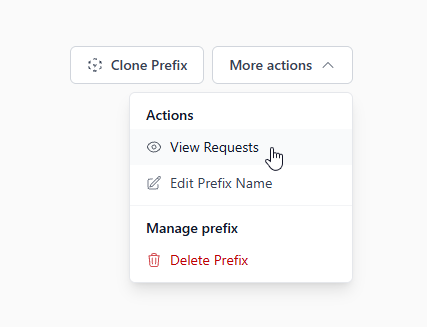
| View Traffic for That Prefix | You may view the traffic for a Prefix by simply selecting the menu next to the prefix drop-down and clicking on ‘View Prefix Requests’.
 |
General
| Option | What it Does |
|---|
| CPS Limit | Set the maximum calls per second allowed for this prefix. |
| Rate Plan | You may assign a rate deck (pricing) for this prefix in order to bill your client for their traffic. |
Compliance
| Option | What it Does |
|---|
| Use STIR/SHAKEN | Whether or not to assign a token to this call. Please note if there is a token already assigned to the request, the token will not be replaced. |
| Use Federal DNC? | Reject calls based on the Federal Do Not Call registry. Please note a valid SAN number is required to use this service. |
| Use Internal DNC? | Reject calls based on your organization’s Internal Do Not Call list. |
Carrier
| Option | What it Does |
|---|
| Routing Type | Switch between Priority Based Routing (PBR) and Cost Based Routing (CBR). |
| Tech Prefix to Send To Your Provider | The tech prefix appended to outbound requests sent to your provider. |
| Apply Channels and CPS per IP Listed? | Toggle whether channel and CPS limits are enforced per individual IP rather than for the prefix as a whole. |
| Enforce Minimum Call Duration? | Toggle whether a minimum call duration is required. |
| Option | What it Does |
|---|
| Use 404 Datasource? | Toggle use of the 404 datasource for this prefix. |
| Treat 603 as a Flagged Number? | Toggle whether numbers returning a 603 response are flagged. |
| Use DNO? | Calls will not be made if the phone number was found on the DNO list. |
| Verify Disconnected Numbers? | When turned on, we will check if the number is disconnected before attempting the call. |
Other Options
| Option | What it Does |
|---|
| Add New Route | This is where you may enter the IPs you would like us to accept requests from for this Prefix. Think of it as a firewall. If the IP is not listed and a request is received for that Prefix, then the request will be rejected. |
| Channels (Ports) | This is how many simultaneous requests should be supported for a Prefix. Think of this as how many telephone lines can be used at the same time for this Prefix. |
| Designated Schedule | You may specify a schedule for the treatment of requests for this Prefix. If a request is received outside of the designated window, then said request will be rejected. |